Why CPU Clock Speed Isn’t Everything

For decades, CPU clock speed was treated as the ultimate performance metric. Higher megahertz meant a faster processor, and manufacturers competed aggressively to push frequencies higher with every generation. Even today, many buyers still equate a higher GHz number with better performance. But in modern computing, clock speed alone tells only a small part of the story.
In reality, overall CPU performance is shaped by a complex combination of architecture, core count, instruction efficiency, cache hierarchy, thermal behavior, and workload characteristics. Understanding why CPU clock speed isn’t everything is essential for making informed decisions in 2026 and beyond.
The Historical Importance of Clock Speed
In the early days of personal computing, clock speed was a reliable indicator of performance. CPUs executed relatively simple instructions, software was largely single-threaded, and frequency increases translated directly into faster execution.
- During the 1990s and early 2000s
- manufacturers engaged in the “GHz race
- ” pushing processors past the 1 GHz
- 2 GHz
- eventually 3 GHz milestones. At the time
- this strategy worked—until physical and thermal limits intervened.
- As semiconductor research from IEEE and MIT demonstrated
- power consumption rises exponentially with frequency. Eventually
- increasing clock speed became inefficient and unsustainable.
What Clock Speed Actually Measures
Clock speed refers to the number of cycles a CPU can execute per second. A 4.5 GHz processor performs 4.5 billion cycles per second—but a cycle is not the same as an instruction.
Modern CPUs can execute multiple instructions per cycle, and different architectures achieve vastly different amounts of work per clock. This is where clock speed becomes misleading.
A lower-frequency CPU can outperform a higher-frequency one if it does more work per cycle.
Instructions Per Clock (IPC): The Real Performance Metric
IPC—Instructions Per Clock—is one of the most important factors in CPU performance. It measures how many instructions a processor can complete in each clock cycle.
Modern CPUs improve IPC through:
- Advanced branch prediction
- Out-of-order execution
- Wider execution pipelines
- Speculative execution
- Micro-op caching
Two CPUs running at the same clock speed can deliver dramatically different performance depending on IPC. This explains why newer processors often outperform older ones at lower frequencies.
Core Count and Parallelism
- Modern workloads rarely rely on a single CPU core. Operating systems
- applications
- games increasingly distribute tasks across multiple cores and threads.
Core count matters because:
- Multitasking benefits from parallel execution
- Content creation scales across many cores
- AI workloads rely heavily on parallel computation
- Background processes compete for CPU time
A quad-core CPU at 5 GHz may feel slower than an eight-core CPU at 4 GHz when running modern workloads. Performance today comes from balanced parallelism, not raw frequency.
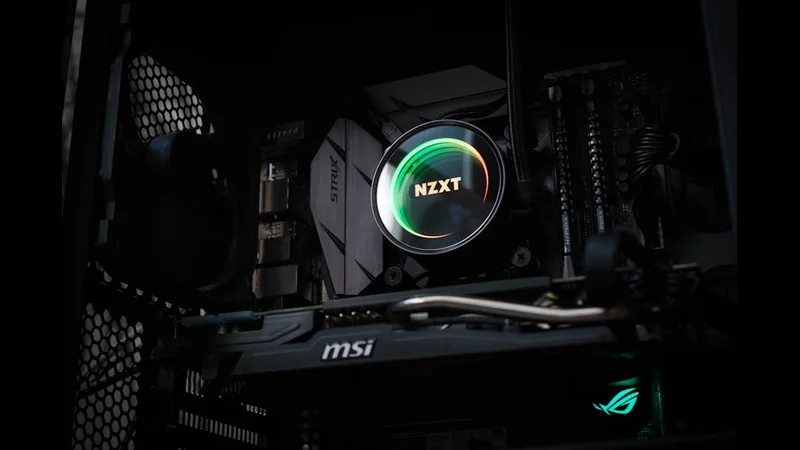
Single-Core vs Multi-Core Performance
Not all tasks scale equally across cores.
Single-core performance is critical for:
- Older software
- Certain games
- Light productivity tasks
- Multi-core performance dominates in:
- Video rendering
- Software compilation
- Virtual machines
- AI inference
- Scientific simulations
Modern CPUs aim to excel in both areas through hybrid designs that combine high-performance cores with efficiency cores.
Cache Memory: The Hidden Performance Booster
Cache memory plays a massive role in CPU performance, yet it is often overlooked.
Modern CPUs use multiple cache levels:
- L1 cache: Extremely fast, very small
- L2 cache: Larger, slightly slower
- L3 cache: Shared across cores
Cache reduces the need to access slower system RAM. A CPU with a larger or more efficient cache can outperform a higher-clocked CPU with limited cache, especially in gaming and latency-sensitive workloads.
This is why CPUs with large L3 cache pools often excel in real-world performance.
Memory Subsystem and Latency
Clock speed alone cannot compensate for slow memory access.
Performance depends on:
- Memory latency
- Memory bandwidth
- Memory controller efficiency
A fast CPU starved by slow memory will underperform. This is particularly noticeable in data-heavy workloads and games that rely on rapid memory access.
Thermal and Power Constraints
Modern CPUs boost clock speeds dynamically based on thermal and power headroom. A processor advertised at 5.5 GHz may only reach that speed briefly under ideal conditions.
Sustained performance depends on:
- Cooling quality
- Power delivery
- Motherboard VRM design
- Case airflow
If thermals are inadequate, the CPU will throttle—making advertised clock speeds irrelevant in real-world use.
CPU Architecture Matters More Than Frequency
Architectural improvements deliver far greater performance gains than raw frequency increases.
Modern CPUs incorporate:
- Wider execution engines
- Better instruction scheduling
- AI-assisted workload prediction
- Advanced power management
This is why a newer CPU at 4.2 GHz can outperform an older CPU running at 5.0 GHz across most workloads.
Benchmarks vs Real-World Performance
Synthetic benchmarks often emphasize clock speed and burst performance, but real-world workloads tell a different story.
Real performance depends on:
- Sustained workloads
- Multitasking behavior
- Application optimization
- Thermal stability
A well-balanced CPU delivers consistent performance over time, not just high peak numbers.
Gaming Performance and Clock Speed
Games often benefit from strong single-core performance, but modern engines increasingly use multiple threads.
Factors influencing gaming performance include:
- IPC
- Cache size
- Memory latency
- GPU pairing
- Engine optimization
Clock speed contributes, but it is rarely the limiting factor on its own.
Why Marketing Still Focuses on GHz
- Clock speed is simple
- familiar
- easy to market. IPC
- cache behavior
- architecture are harder to explain.
As a result, GHz remains a headline specification—even though it no longer defines real-world performance.
FAQ
Is higher clock speed ever better?
Yes, when comparing CPUs with identical architecture and core count.
Why do laptops have lower clock speeds?
They are limited by power and thermal constraints.
Does overclocking still matter?
Less than before—modern CPUs already boost close to their limits.
- What should I prioritize instead of clock speed?
- IPC, core count, cache size, and thermal efficiency.
Can clock speed affect responsiveness?
Yes, but only in combination with strong IPC and low latency.
Conclusion
CPU clock speed is no longer the defining measure of performance it once was. In modern processors, true performance comes from architectural efficiency, parallelism, cache design, memory access, and thermal stability. A balanced CPU delivers consistent, scalable performance across diverse workloads—something raw GHz numbers cannot guarantee.
Understanding why clock speed isn’t everything allows users to make smarter hardware choices, avoid marketing traps, and build systems that perform better not just in benchmarks, but in real-world use.