The Most Important Computer Ports Explained

Computer ports are the physical gateways that connect a machine to the outside world. Every keyboard input, video signal, network packet, audio stream, and storage transfer depends on these interfaces. Yet for many users, ports remain one of the least understood aspects of modern computers—despite their direct impact on performance, compatibility, and workflow efficiency.
As laptops become thinner, desktops more modular, and peripherals more demanding, understanding computer ports has become essential. This article explains the most important computer ports in use today, how they differ, and why they matter more than ever.
Why Computer Ports Matter More Than You Think
Ports define how a computer interacts with peripherals and external systems. A powerful CPU or GPU means little if data cannot move efficiently in and out of the system. Bandwidth limitations, protocol support, and power delivery capabilities all hinge on port selection.
Modern workflows increasingly rely on:
- External high-speed storage
- Multiple high-resolution monitors
- High-refresh-rate displays
- Audio interfaces
- Network-intensive applications
- Docking stations
Each of these tasks places unique demands on port technology.
USB: The Universal Backbone of Modern Computing
Universal Serial Bus (USB) is the most common interface on computers today, but not all USB ports are equal. The confusion stems from overlapping connector shapes and evolving standards.
USB-A
The classic rectangular port still found on desktops and many laptops.
USB 2.0: Up to 480 Mbps
USB 3.2 Gen 1: Up to 5 Gbps
USB 3.2 Gen 2: Up to 10 Gbps
- USB-A remains widely used for keyboards
- mice
- flash drives
- legacy peripherals.
USB-C
USB-C refers to the connector shape, not the data speed. This distinction is critical.
Depending on implementation, USB-C can support:
- USB data transfer
- Display output
- Charging
- Thunderbolt
- Power Delivery (up to 240W with USB PD 3.1)
Its reversible design and multi-function capability make USB-C the dominant port for modern laptops.
Thunderbolt: High-Speed Everything Through One Cable
Thunderbolt is Intel’s high-performance interface designed for demanding workloads.
Thunderbolt 3 and 4 features include:
- Up to 40 Gbps bandwidth
- Support for dual 4K displays or one 8K display
- External GPU (eGPU) compatibility
- High-speed external storage
- Daisy chaining up to six devices
Thunderbolt uses the USB-C connector but requires dedicated controller hardware. This makes it ideal for professionals working with video editing, 3D rendering, and large datasets.
HDMI and DisplayPort: Video Output Explained
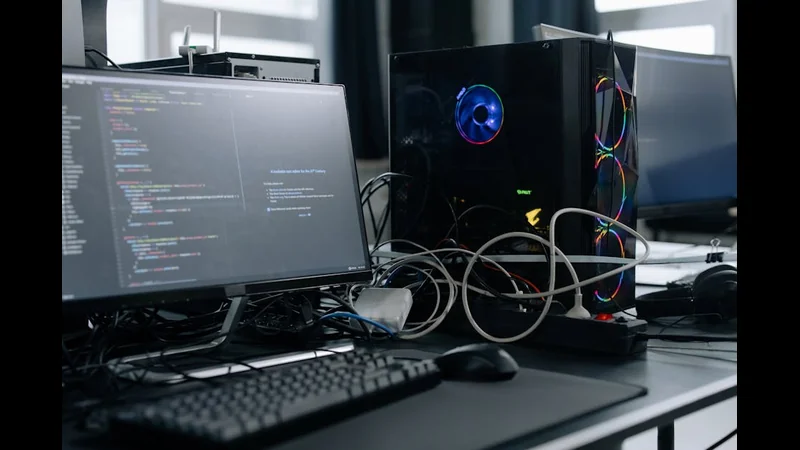
Display connectivity is critical for both productivity and gaming.
HDMI
High-Definition Multimedia Interface is the most common video port for TVs and monitors.
HDMI 2.0: 4K at 60Hz
HDMI 2.1: 4K at 144Hz, 8K at 60Hz
Supports audio return and consumer electronics control
HDMI dominates consumer electronics and home entertainment setups.
DisplayPort
DisplayPort is favored in professional and gaming environments.
DisplayPort 1.4: 4K at 120Hz
DisplayPort 2.0+: Supports extremely high refresh rates and resolutions
Better support for adaptive sync technologies
DisplayPort offers higher bandwidth efficiency than HDMI, making it the preferred choice for high-refresh-rate monitors.
Ethernet: Wired Networking Still Matters
Despite the rise of Wi-Fi 6 and Wi-Fi 7, Ethernet remains unmatched for stability and latency.
Common Ethernet standards include:
- Gigabit Ethernet (1 Gbps)
2.5 Gigabit Ethernet
10 Gigabit Ethernet
- For gaming
- servers
- content creation
- enterprise environments
- Ethernet ensures consistent performance without interference.
Audio Ports: Analog vs Digital
Audio connectivity remains relevant, especially for creators and professionals.
3.5mm audio jacks handle analog signals for headphones and microphones.
Optical audio (TOSLINK) transmits digital audio with zero electrical interference.
USB audio interfaces are increasingly popular for professional recording, offering superior signal quality and flexibility.
Many modern laptops are eliminating analog audio ports, shifting audio responsibilities to USB-C and wireless solutions.
SD and microSD Card Readers
- Photographers
- videographers
- content creators rely heavily on SD and microSD slots.
Advantages include:
- Direct camera media access
- Faster file transfers than USB adapters
- Reduced cable clutter
High-end laptops increasingly integrate UHS-II or faster SD readers to support professional workflows.
PCI Express: The Internal Backbone
- While not an external port
- PCIe deserves mention as the interface powering GPUs
- SSDs
- expansion cards.
Modern systems use:
- PCIe Gen 4
- PCIe Gen 5
Higher PCIe generations enable faster GPUs, NVMe SSDs, and network cards. External PCIe connectivity is increasingly exposed via Thunderbolt.
Power Delivery and Charging Ports
Charging has evolved dramatically.
USB Power Delivery enables:
- Fast charging for laptops
- One-cable docking solutions
- Shared chargers across devices
Some laptops still use proprietary charging ports, but industry momentum strongly favors USB-C standardization.
Legacy Ports: Still Relevant?
Older ports like VGA, DVI, PS/2, and serial interfaces still exist in industrial and enterprise environments. While largely obsolete for consumers, they remain critical in specialized systems.
The Shift Toward Fewer Ports and More Docks
Modern laptops prioritize thin designs, often reducing port variety. This has driven the rise of docking stations and hubs.
While docks add flexibility, they also introduce:
- Bandwidth sharing limitations
- Latency concerns
- Power delivery constraints
Understanding native port capabilities helps avoid performance bottlenecks.
FAQ
Why do two USB-C ports behave differently?
Because they may support different protocols despite identical connectors.
Is Thunderbolt better than USB?
For high-bandwidth tasks, yes—but it costs more and requires compatible hardware.
Which port is best for gaming monitors?
DisplayPort generally offers the best performance for high refresh rates.
Can USB-C replace all other ports?
Technically yes, but practical limitations still exist.
Are ports becoming wireless?
Some functions are, but wired connections remain essential for performance-critical tasks.
Conclusion
Computer ports are far more than simple connectors—they define how effectively a system communicates with the world around it. As computing shifts toward higher resolutions, faster storage, and more demanding workflows, understanding port capabilities is no longer optional.
Choosing the right ports ensures compatibility, performance, and future-proofing. In a world where a single cable can power a laptop, drive multiple displays, and transfer massive datasets, ports have become one of the most critical—and underestimated—components of modern computing.